Livestream Information and Perks
There's new people that join my livestreams and get confused, they don't know why there are 2 livestreams and what's a weird voice that play in the background sometimes
Contents
Table of contents
- Glossary
- Why is the stream vertical, I cannot see a thing
- Why are there 2 streams?
- What’s that weird voice when someone sends a message
- How can I send your GOATED emojis?
- Why does TTS not work?
- Why aren’t you reading chats on stream?
- What’s that Ko-Fi progress bar we see in your videos?
- How can I join your discord?
- How can I share my setup and workflow in your channel?
- Why did the livestream become members only after recording?
- You’re a fraud, why do you ask for money, isn’t YouTube Ads enough?
Glossary
- TTS: Text To Speech. Means that if you send a TTS message, it will be read out loud by computer voice and others will be able to hear it
Why is the stream vertical, I cannot see a thing
If you join one of my livestreams, you’re going to notice that there’s several chats. You probably are in the wrong livestream.
If you end up in the vertical livestream, visibility will be limited, so you can switch to the horizontal one, below you’ll find 2 images on how each one of them looks.
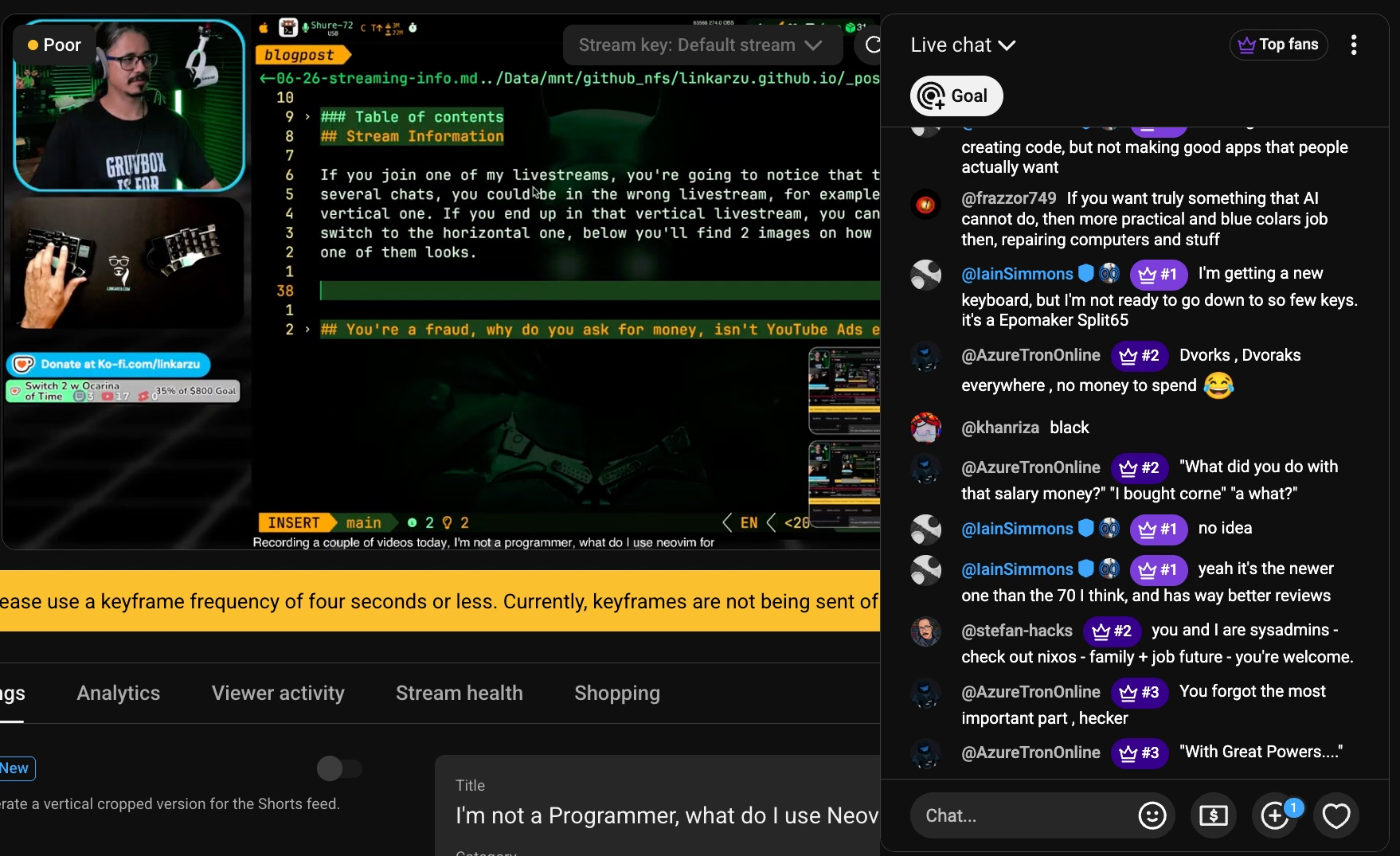 Horizontal stream, looks normal
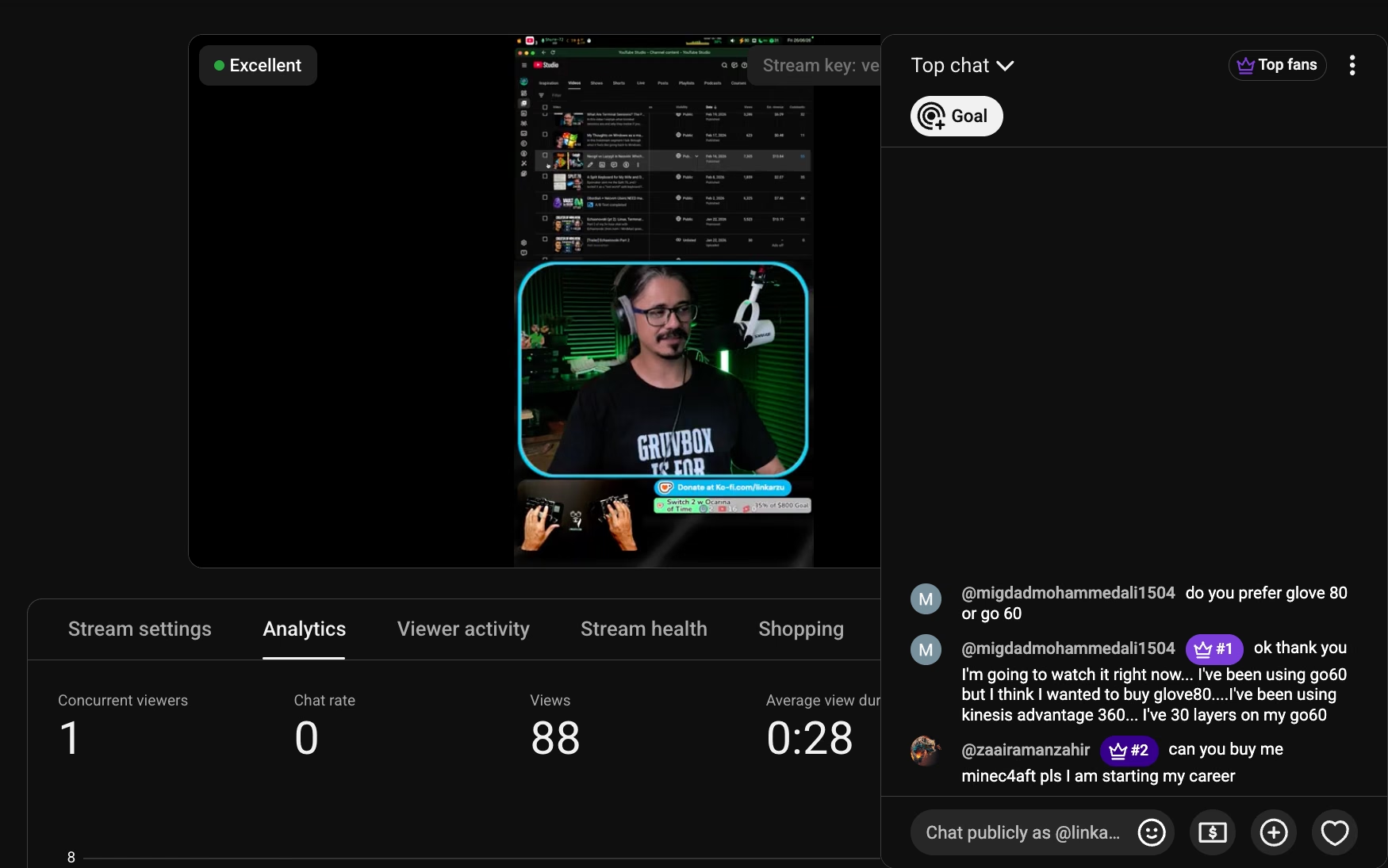 Vertical stream on the shorts app, looks too narrow
If you go to the “Live” tab, you will be able to see both livestreams, the vertical usually has an indication or hint that it’s vertical.
Pay attention to the title, it usually says [VERT], [VERTICAL] or has a V- somewhere. Thumbnail sometimes has an indication that it is vertical. Example below
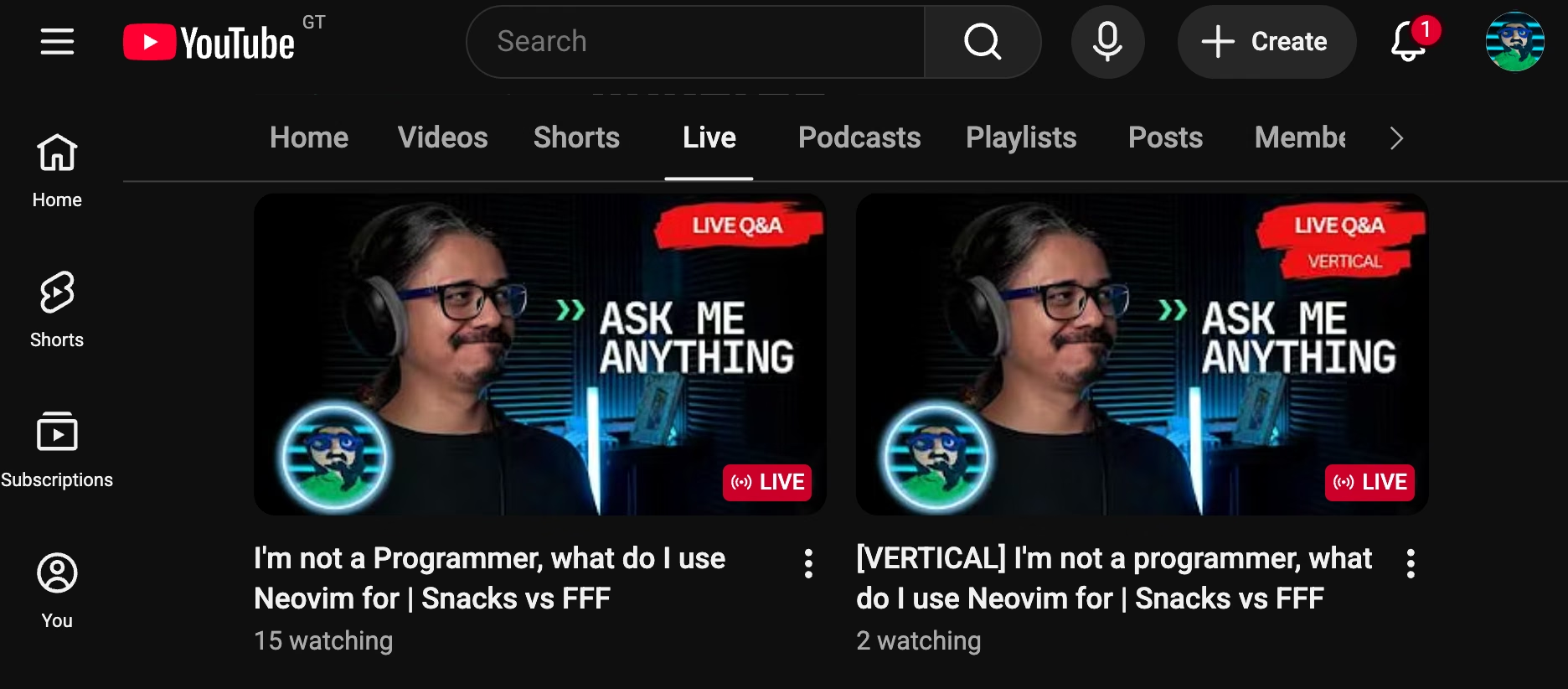 vertical and horizontal streams on live page, read the Fing title
Why are there 2 streams?
I send 2 different streams to YouTube as you may have read above. This is just to try to grab a few more users that are scrolling through the “Shorts” YouTube app wasting their time and life in an endless cycle of dopamine hits.
The problem is when real people that do follow me end up in the vertical stream and get confused, they start asking “Why are there 2 streams”.
Always read the pinned comment in the chat, it will point you to this article which I will try to keep updated.
Another reason is that I have thousands of hours in shorts with all those livestreams for when I decide to spam YouTube with shorts, they are already formatted in a nice way. So all I need to do is chop them up and spam them to YouTube and all other social media apps
I’ll probably start a linkarzu-shorts channel for this, not sure yet
What’s that weird voice when someone sends a message
That’s text to speech, and it is enabled for YouTube members only, you have to send the message this way: !say I have a small pp
How do I become a member, I want to support you, even though my FOSS instincts of being cheap fight against supporting things I love. You can do it brother, become a member here:
DO IT BROTHER, BECOME A CHAD HERE
Do not become a member from an iPhone. YouTube takes 30% of the cut already, and if you do it from an iPhone, apple takes another 30% cut. Leaving me with a 30% of the total membership price. So please use anything but an iPhone
How can I send your GOATED emojis?
If you’ve seen my replies in YouTube comments, you’ll notice that I send some sick emojis.
Besides YouTube comments, you can also send these during livestreams if you become a member
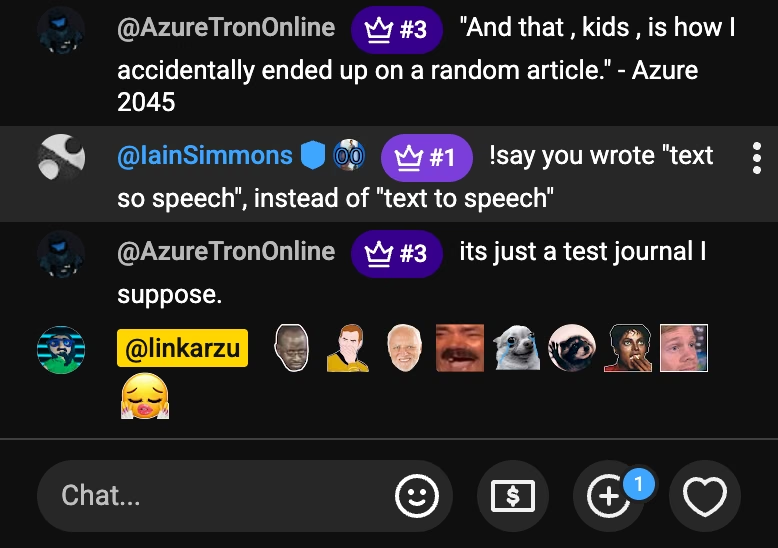 emojis in livestreams and YouTube comments
Why does TTS not work?
There could be a few reasons:
- 2. If it’s a Livestream with a Guest
- TTS is actually stuck and it needs a refresh
- I ran out of tokens and I need to put more money
For either of the last 2 cases, send me messages in chat, I’ll see them and fix the issue during stream
Why aren’t you reading chats on stream?
1. If it’s a regular stream, or a stream with friends
I get a few messages and I cannot keep up with all of them, I try my best but it’s just not possible, we would read messages all day and not do anything on stream.
But if you need to grab my attention or have a question, send a TTS message and I’ll for sure hear it and react to it. That’s for members only.
2. If it’s a Livestream with a Guest
When we are in a live interview with a guest, to not distract the guest, TTS will be disabled and I will not be able to read all the chats.
Because again, if we read chat all day, the interview would go nowhere
So if you want your message to be read:
- Send a donation in Ko-Fi, it will say your message out loud with TTS and show this GIF on screen. The guest will hear the message
- If you send a YouTube superchat of over 10 USD your message will also be read out loud via TTS. The guest will hear the message
- You can also send a superchat of < 10 USD and we will read superchats at some point during the call
So yes, pretty much we’ll ignore you so that you pay. It’s all about the money baby.
What’s that Ko-Fi progress bar we see in your videos?
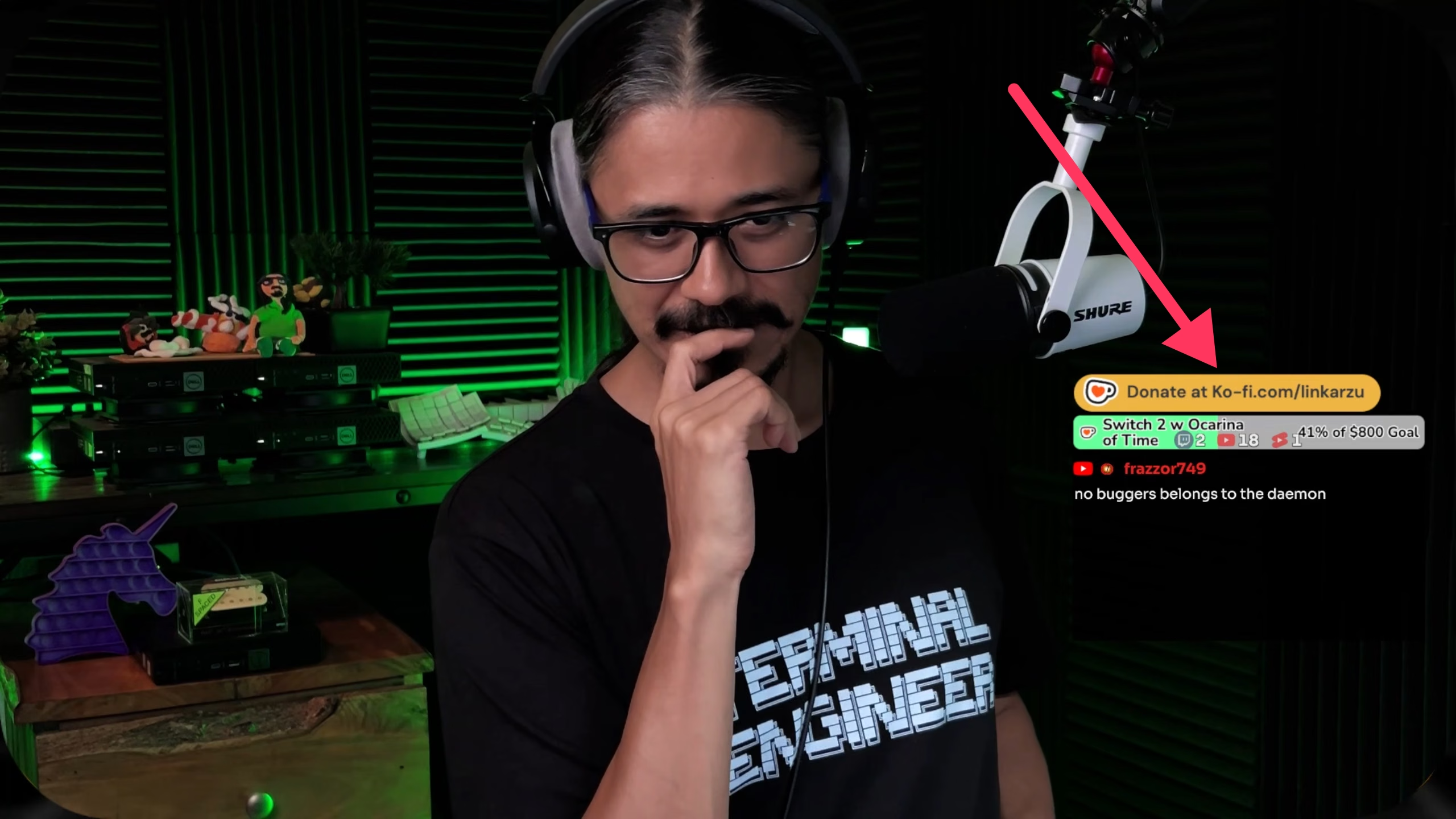 Ko-Fi progress bar to reach my goals
Brother, you’re a 38 old man with family, are you sure buying a switch 2 with the remake of Ocarina of Time is a good idea?
I know. I wonder the same thing all the time. Once I reach the goal I’ll decide what to do with the money as I have a wife and kids.
Should I relive my childhood memories and enjoy for a little while, or should I buy another split keyboard I’ll never use 😂
If you want to support me, send a donation in Ko-Fi
If you send a Ko-Fi donation when I’m streaming the message will be showed in the video and played out loud. Read more about this here: 2. If it’s a Livestream with a Guest
How can I join your discord?
The discord server is for members only, we don’t want cheap MFs there that are not willing to spend a least the amount of a coffee a month
Join at your own risk, you could be bullied there by some people
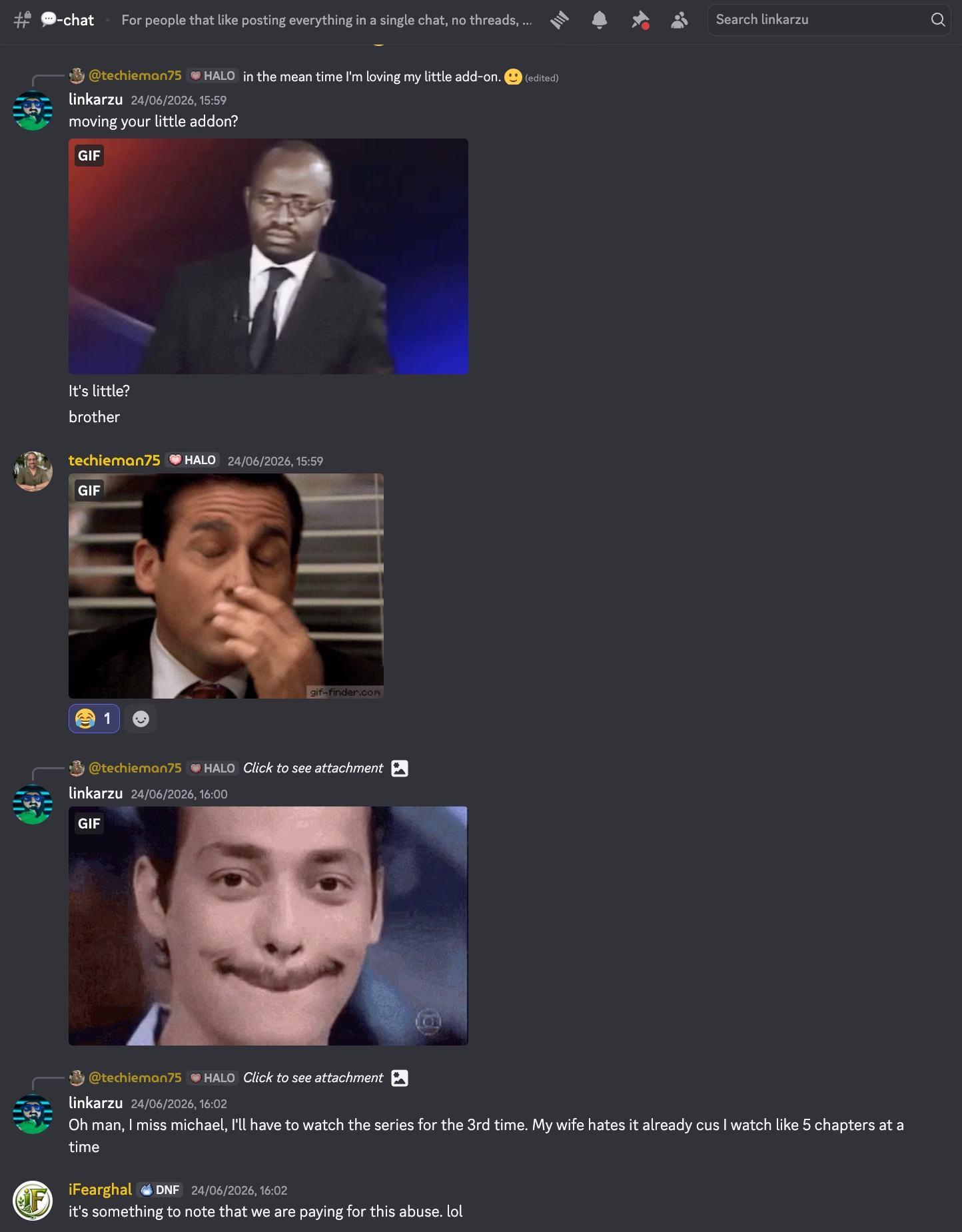 Typical Discord Conversation
All the instructions and details can be found in the server itself:
How can I share my setup and workflow in your channel?
This can happen for 2 reasons:
1. Random gathering with discord members from time to time
This is a way of giving something back to the people that support me monetarily to keep the channel going. You can participate in Open Terminal and share your setup, workflow, projects, YouTube channel, or whatever else you want to share.
Past episodes can be found here
There’s only 1 rule. If you don’t share your camera, a handsome linkarzu represents you.
The idea is to monetize my channel and make it a real source of income. So far it’s just an expensive hobby and something I do for fun.
How often do the Open Terminal episodes happen? There’s no guaranteed time, it could be once a month, once every couple of months. Every now and then.
If you want to have a recurring livestream see below:
2. Recurring meeting with members
This can be monthly, every 2 weeks or weekly.
Here’s a link to the podcast with all the episodes
We can talk about different topics, you can share your setup, talk about Neovim, Emacs, Linux, macOS, your YouTube channel, your business, homelabbing, networking, etc.
For pricing and details on how many meeting you get a month, go to the YouTube memberships page
Do not become a member from an iPhone. YouTube takes 30% of the cut already, and if you do it from an iPhone, apple takes another 30% cut. Leaving me with a 30% of the total membership price. So please use anything but an iPhone
Why did the livestream become members only after recording?
That means that the episode will be edited and released on the YouTube Podcast Channel a few days after.
Before the “I demand everything for free” community jumps and gets offended, it will be FREE FOR EVERYONE AT NO CHARGE.
It will also be available in all the podcasting platforms (Spotify, YouTube Music, Apple Music, etc). Even the most esoteric ones, so if it’s missing from your podcasting platform let me know and I’ll add it.
If you want to know about why the podcast is in a new channel and where the old episodes live, go and read this
But that doesn’t answer my question, why for members only?
This is mainly a monetization strategy, for the people that care about my content and want to support me to keep the channel going. This is to give them something back for their support.
Editing of the final video takes time, so be patient.
You’re a fraud, why do you ask for money, isn’t YouTube Ads enough?
- I explain all of this in the “about me page” link below:
- youre-a-fraud-why-do-you-ask-for-money-isnt-youtube-ads-enough
- Above you’ll also find links to my discord, social media, etc